

See My Week

Your calendar.
Their week,
in pictures.

A visual weekly calendar for autistic children, built around familiar faces and everyday routines.

We are welcoming families into a supported pilot. We help you get the first board ready, and a person checks every board.

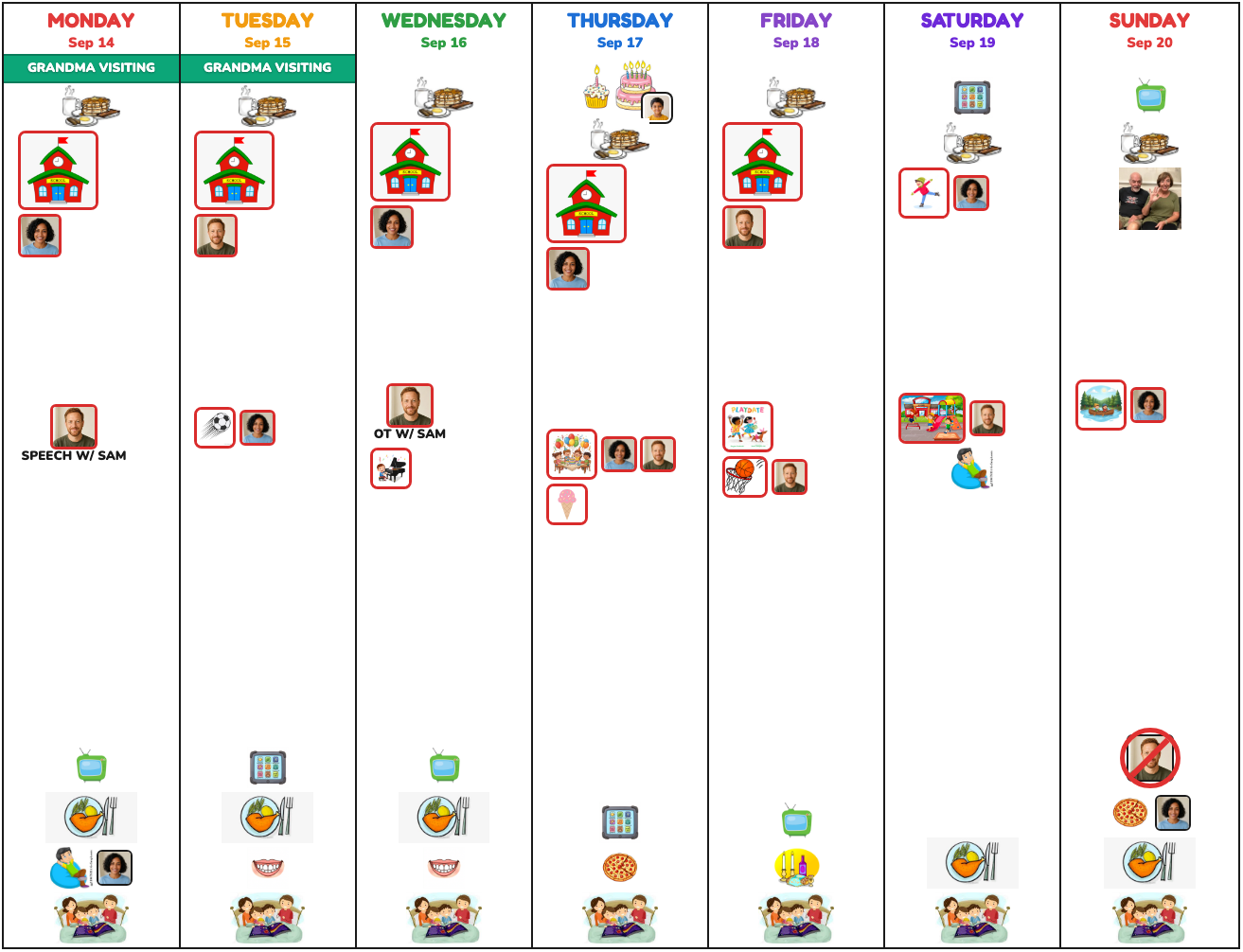
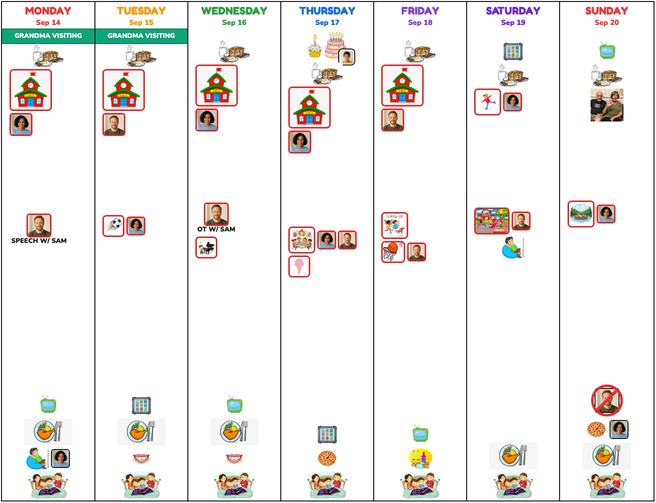
A full seven-day picture board: school, pickups, therapies, dinner and bedtime, with family faces beside each picture
A full week on one page. Printed for the fridge, every Thursday. Download the sample PDF → A fictional family. Ari, Jo and Sam are AI-generated people.
Nothing new to keep up

Plugs into the calendar you already keep.

Start with the calendar you already use. Connect Google Calendar in one tap, or Apple Calendar (iCloud) with a short walkthrough, and choose which plans belong on your child’s board. From then on, the week you already keep becomes the board.

Google CalendarApple Calendar
Your calendarGoogle Calendar or Apple iCloud Calendar, the one on your phone today.
See My WeekTurns names into faces, events into pictures, and keeps your family's order.
The fridgeA full week to print for the fridge or look at on a tablet, every Thursday.

Works with Google Calendar Apple Calendar (iCloud) School calendar feeds

Google Calendar connects in one tap after you sign in. Apple Calendar uses a share link, and we walk you through it on your iPhone or Mac. Outlook, school and club calendars connect with their share link.

Built around familiar things

A week you can look at together.

A picture board gives the week a place in your home. You can point to an activity, see who will be there, and talk through the plan together.

Your family’s photos, everyday words and regular routines make the board your own. Dinner sits in the same spot on every day. Bedtime is always the last picture. During setup, we help you choose what your child needs to see.

Faces they know

Use your own photos and familiar names to show who will be part of the day.

A color for each child

Names and border colors work together to show whose activity is whose.

Your familiar routines

Give everyday routines a consistent place, with the details that matter in your home, week after week.

Room for changed plans

Practice moved to Wednesday? Fix it in your calendar and tap Rebuild, and the week updates in seconds, from your phone.

Pictures that mean something

Choose photos and activity pictures during setup, with the labels your family uses. Swap one any time from your phone.

Help when you need it

Ask the board’s helper in plain words. Anything it cannot do goes straight to a real person on our team.
Changes on the spot

A simpler way to ask for a change.

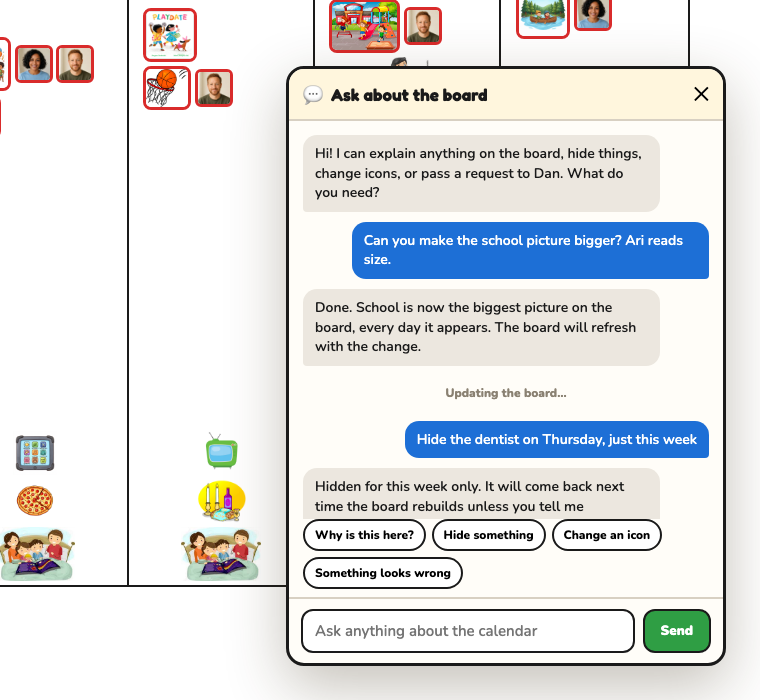
Explain a change in your own words, the way you would text a friend, and the helper on the board makes it while you watch.

  • “Why is this on Tuesday?” Understand where an activity came from.
  • “Make the school picture bigger.” Adjust how a picture appears, on every day it shows.
  • “Hide the dentist this week.” Make space for a changed plan; it is back next week.
  • “Undo that.” It puts things back.

Anything it cannot do, like drawing a brand new icon, goes straight to a real person on our team. Nothing to chase, nothing to remember.

The Ask helper open over a picture board: a parent asks to make the school picture bigger and hide the dentist this week, and the helper confirms each change
A fictional family and a fictional week. Ari, Jo and Sam are AI-generated people.
How it works

Start with your week. We help with the board.

Tell us about your week

Share the people, activities and routines you want your child to see. We gather the photos, the shorthand only your family uses, and the rules that keep your child steady.

Connect your calendar

Google in one tap, Apple with a short walkthrough, school feeds by link. Private things stay private; only what your child needs to see reaches the board.

Review the first board

Look at the pictures and the order together. From then on the coming week arrives every Thursday, checked by a person. Plans change on Tuesday? Fix your calendar and tap Rebuild, or ask the board’s helper.

Pricing

Choose the support that fits your family.

One monthly price for each plan. Every plan includes your calendar connection and a board that arrives each Thursday.

Board

$79 a month
  • Set up through our guided wizard, on your own time
  • Your family calendar connected
  • Our standard picture library plus your own photos
  • Dinner and bedtime anchored daily
  • Rebuild the week yourself, any time, from your phone
  • Change photos, add people and add icons yourself
  • The helper on the board, for hiding, swapping and undoing
  • Private board page for phone and printing, every Thursday
Choose Board
Recommended for personalized setup

Family Board

$149 a month
  • Everything in Board
  • A working session with you both to learn your week
  • Custom icons drawn for your child’s actual activities
  • Sibling colors, pickup faces, absence markers
  • Your house rules built in, rituals included
  • School calendar feeds with a privacy filter
  • Laminated starter set shipped, first month watched by a person
Choose Family Board

Concierge

$299 a month
  • Everything in Family
  • Live setup with your whole care team
  • Boards for siblings too
  • Requests you give the helper reach us on our phones right away
  • A written rulebook of your board, in plain English, for any future caregiver
  • A person checks every Thursday board before it reaches you
Choose Concierge
Three months to start, then month to month. The first quarter covers the setup we do with you. After that, stay as long as the board earns its spot on the fridge. No setup fee, and the price never changes while you are with us.
Let’s start with your week

What would you like your child to see?

Leave your email and we will send a short note about the pilot and a link to arrange a setup conversation. No newsletter, no spam.

Prefer email? Write to [email protected] and tell us a little about your week.